

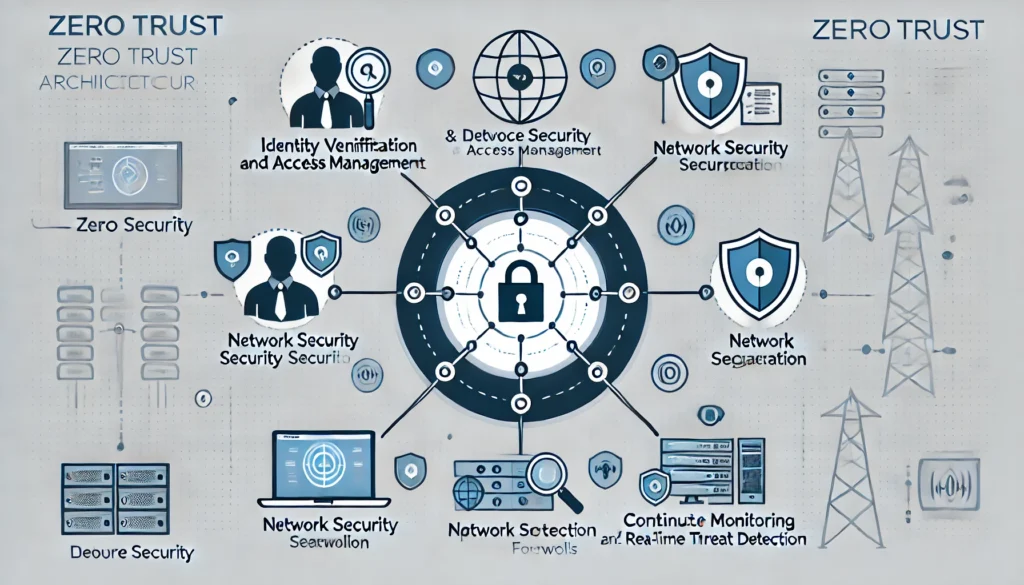
Just a recap of all the components of Zero Trust Architecture
- Identity Verification and Access Management
- Device Security and Network Segmentation
- Continuous Monitoring and Real-time Threat Detection
IDENTITY VERFICATION

1. Multi-Factor Authentication (MFA)
MFA enhances security by requiring multiple verification methods before granting access. It’s like needing both a key and a passcode to enter a secure area. Key components include:
- Something You Know: A password or PIN. This is the most common form of authentication, akin to knowing the combination to a lock.
- Something You Have: A physical device, like a smartphone or hardware token. This adds a layer of security by requiring possession of a specific item, similar to needing a physical key to open a lock.
- Something You Are: Biometric verification, such as a fingerprint or facial recognition. This ensures that only the authorized user can gain access, much like a fingerprint scanner on a high-security vault.
2. Identity Proofing
Identity proofing verifies that a person is who they claim to be. It’s like verifying someone’s identity before issuing them a passport. Methods include:
- Document Verification: Checking official documents, such as a driver’s license or passport, to confirm identity. This is similar to a bouncer checking IDs at a club entrance.
- Knowledge-Based Authentication (KBA): Asking questions that only the genuine person would know. For example, questions about recent transactions or personal history, like a bank asking for previous addresses during a phone call.
- Biometric Verification: Using biological traits like fingerprints or facial recognition to confirm identity. This ensures a higher level of security, similar to using fingerprint access in high-security areas.
3. Continuous Authentication
Continuous authentication verifies identity throughout a session rather than just at the start. It’s like having a security guard continually checking IDs within a secure facility. Techniques include:
- Behavioral Biometrics: Monitoring how a person interacts with their device (typing patterns, mouse movements). This helps detect anomalies that might indicate unauthorized access, similar to recognizing someone’s voice or gait.
- Contextual Information: Using information like location, device, and network to continuously verify identity. For example, flagging access attempts from unusual locations or devices, akin to a hotel recognizing a guest by their frequent visits.
- Session Monitoring: Keeping track of user activities during a session to detect suspicious behavior. This is like having surveillance cameras monitoring activities within a building.
ACCESS MANAGEMENT
1. Role-Based Access Control (RBAC)
RBAC assigns access based on a user’s role within an organization. It’s like giving employees different keys based on their job functions. Key points include:
- Role Definition: Clearly defining roles and their associated access rights. For example, an HR manager may have access to employee records, while a developer does not. This is akin to defining which rooms an employee can access within a building.
- Permission Assignment: Granting permissions based on roles rather than individual users. This simplifies management, similar to issuing master keys to managers instead of individual keys to each door.
- Role Hierarchy: Establishing a hierarchy where higher roles inherit permissions from lower roles. For instance, a senior manager may have all the access rights of a junior manager plus additional ones, akin to a hierarchy of key access in an organization.
2. Attribute-Based Access Control (ABAC)
ABAC uses attributes (user, resource, environment) to make access decisions. It’s like allowing access based on a combination of factors, such as identity, location, and time. Features include:
- Dynamic Policies: Creating access policies that consider multiple attributes. For example, allowing access only if the user is in a specific location and within working hours, similar to a security system that grants access only during certain times of the day.
- Fine-Grained Control: Providing more granular access decisions based on attributes. This allows for more specific permissions, similar to a lock that only opens when multiple conditions are met.
- Contextual Access: Adjusting access based on real-time context. For instance, denying access if a user’s behavior deviates from normal patterns, like a security guard who denies entry if someone looks suspicious.
3. Just-In-Time (JIT) Access
JIT access grants permissions only when needed and for a limited time. It’s like issuing a time-bound access pass for specific tasks. Benefits include:
- Minimized Risk: Reducing the window of opportunity for misuse. By granting access only when necessary, the risk of unauthorized activities is minimized, similar to giving temporary access to contractors.
- Audit Trails: Keeping records of who accessed what and when. This provides accountability and helps in tracking any unauthorized access, akin to signing in and out of a secure area.
- On-Demand Access: Allowing users to request access when needed, subject to approval. This ensures that permissions are granted based on current needs, like requesting temporary access to a restricted area for a specific task.
DEVICE SECURITY
1. Device Compliance
Ensuring that devices meet security standards before accessing the network is crucial. It’s like a health check at an airport before allowing travellers to board a plane. Compliance measures include:
- Patch Management: It’s important to regularly update your devices to fix vulnerabilities. This is similar to maintaining a car; just as you need to regularly update its parts and software to keep it running smoothly and safely, in cybersecurity, software patches fix known vulnerabilities that attackers might exploit.
- Configuration Management: Ensuring that devices are configured according to security policies is crucial. When setting up a new smartphone, it’s essential to configure settings to ensure it operates securely. This involves enabling security features and turning off unnecessary services that could introduce vulnerabilities.
- Health Checks: Before allowing access, verifying the device’s security status is essential. This process is similar to a pre-flight check for an aeroplane, ensuring all systems function correctly and safely. In cybersecurity, health checks evaluate whether a device meets security standards, such as having up-to-date antivirus software and enabled encryption.
2. Endpoint Detection and Response (EDR)
EDR involves continuous monitoring and response to threats on endpoints like computers and mobile devices. It’s akin to having a security guard monitoring and reacting to suspicious activity within the premises. Key components include:
- Threat Detection: Identifying malicious activities in real-time. Imagine a motion sensor that alerts you to unusual movements in your house. EDR systems use behavioural analysis and threat intelligence to spot activities that deviate from the norm, indicating potential threats.
- Incident Response: Quickly responding to and mitigating detected threats. This is like a fire alarm system that alerts you to a fire and activates sprinklers to contain it. EDR systems automate and expedite the response to detected threats to minimize damage.
- Forensics: Analyzing incidents to understand their scope and impact. After a security incident, it’s like investigating a crime scene to determine what happened, how it occurred, and who was involved. Forensic analysis helps improve future defences by understanding past attacks.
3. Mobile Device Management (MDM)
MDM helps manage and secure mobile devices, ensuring they comply with security policies. It’s like having a manager ensuring all employee’s mobiles follow company rules. Key aspects include:
- Policy Enforcement: Applying security policies on all mobile devices. For example, encryption and screen lock are required on all smartphones used for work.
- Remote Wipe: Erasing data from lost or stolen devices. Imagine losing your wallet with sensitive documents; a remote wipe is like being able to make those documents disappear instantly to prevent misuse.
- App Management: Controlling which apps can be installed and used. This is similar to a workplace that only allows approved software on its computers to prevent the installation of risky or non-compliant applications.
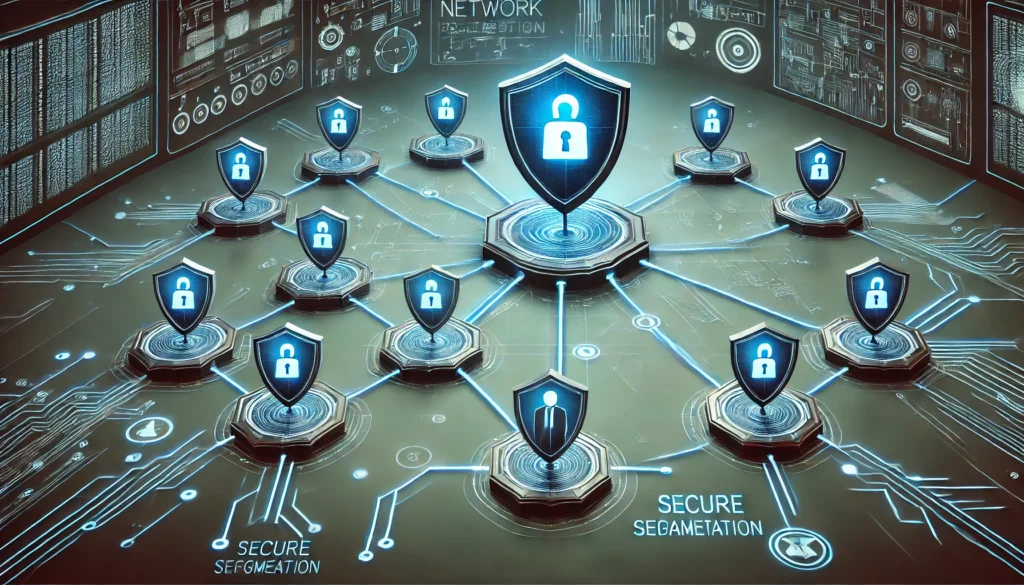
NETWORK SEGMENTATION
1. Micro-Segmentation
Micro-segmentation involves dividing the network into smaller segments to limit threat movement. It’s like having multiple locked doors within a building, each requiring separate keys. Benefits include:
- Reduced Attack Surface: Limiting the scope of attacks. If an attacker breaches one segment, they can’t easily access the others. It’s like containing a fire in one room, preventing it from spreading.
- Improved Containment: Preventing lateral movement of threats. This is akin to having fire doors in a building that compartmentalises sections, slowing down or stopping the spread of fire.
- Granular Control: Applying specific policies to different segments. For example, a network segment for HR might have stricter access controls than one for general use, just as a secure vault has stricter security measures than a bank lobby.
2. Software-Defined Perimeters (SDP):
SDP hides internal applications from an external view, making it harder for attackers to target them. Imagine a cloaking device that makes parts of your network invisible to outsiders. Key features include:
- Dynamic Access Control: Adjusting access based on real-time context. For example, only allowing access to specific applications when the user is on a trusted network and using a secure device.
- Encryption: Protecting data in transit. Think of encryption as a secure envelope that ensures only the intended recipient can read the message inside.
- Zero Trust Network Access (ZTNA): Verifying each access request individually. This is similar to a bouncer at a club who checks the credentials of every person trying to enter, ensuring they meet the criteria to get in.
3. Network Access Control
NAC enforces policies for network access, ensuring that only compliant devices can connect. It’s like a security checkpoint that verifies the credentials and health of every device before granting access. Key features include:
- Pre-Admission Control: Assessing devices before they connect to the network. This ensures that only devices meeting security criteria are allowed, similar to a security guard checking IDs and health status before allowing entry into a building.
- Post-Admission Control: Monitoring devices continuously after they connect. This ensures ongoing compliance, like a security team patrolling a building to ensure that all occupants adhere to rules.
- Remediation: Automatically addressing non-compliant devices. For instance, redirecting an unpatched device to a quarantine network where it can receive updates, akin to directing someone without proper identification to a waiting area for further verification.
CONTINUOUS MONITORING

1. Network Monitoring
Network monitoring involves tracking and analyzing network traffic to identify unusual activities and potential threats. It’s like having surveillance cameras throughout a building, constantly watching for suspicious behavior. Key components include:
- Traffic Analysis: Monitoring the flow of data across the network. This is similar to analyzing traffic patterns on a busy highway to detect accidents or bottlenecks. By examining data packets, unusual spikes or anomalies can be detected, indicating potential security incidents.
- Intrusion Detection Systems (IDS): Identifying and alerting on unauthorized access attempts. IDS works like a burglar alarm system, alerting security personnel to potential break-ins. These systems use predefined signatures and behavioral analysis to detect intrusions.
- Anomaly Detection: Identifying deviations from normal network behavior. It’s akin to noticing a sudden, unexplained surge in water usage in a household, which could indicate a leak. Anomaly detection uses machine learning to establish baselines and flag deviations that could indicate security issues.
2. Endpoint Monitoring
Endpoint monitoring focuses on individual devices within the network, such as computers, smartphones, and IoT devices. It’s like having security guards stationed at every entry point of a building. Key components include:
- Behavioral Analysis: Monitoring the behavior of endpoints to identify suspicious activities. Imagine a security guard observing an employee’s behavior to ensure they are following company protocols. Behavioral analysis uses algorithms to detect deviations from typical usage patterns.
- Automated Response: Automatically responding to detected threats on endpoints. This is like an automated fire suppression system that activates when it detects smoke. Endpoint monitoring systems can isolate infected devices, terminate malicious processes, and initiate security protocols.
- Integration with SIEM: Feeding endpoint data into Security Information and Event Management (SIEM) systems for comprehensive analysis. This is similar to integrating individual security cameras into a central monitoring system for better oversight. SIEM systems correlate data from multiple sources to provide a holistic view of the security landscape.
3. Application Monitoring
Application monitoring ensures that software applications are running securely and efficiently. It’s like having regular maintenance checks on machinery to ensure they are functioning correctly. Key components include:
- Performance Monitoring: Tracking the performance of applications to detect anomalies. For example, monitoring the speed and responsiveness of an application to identify issues. This helps in detecting performance-related attacks such as denial-of-service (DoS).
- Log Analysis: Analyzing application logs to identify security events. This is akin to reviewing transaction logs in a financial system to detect fraudulent activities. Logs provide valuable insights into application behavior and potential security incidents.
- Vulnerability Scanning: Regularly scanning applications for known vulnerabilities. This is like conducting safety inspections on equipment to identify potential hazards. Vulnerability scanning helps in identifying and mitigating security weaknesses before they can be exploited.
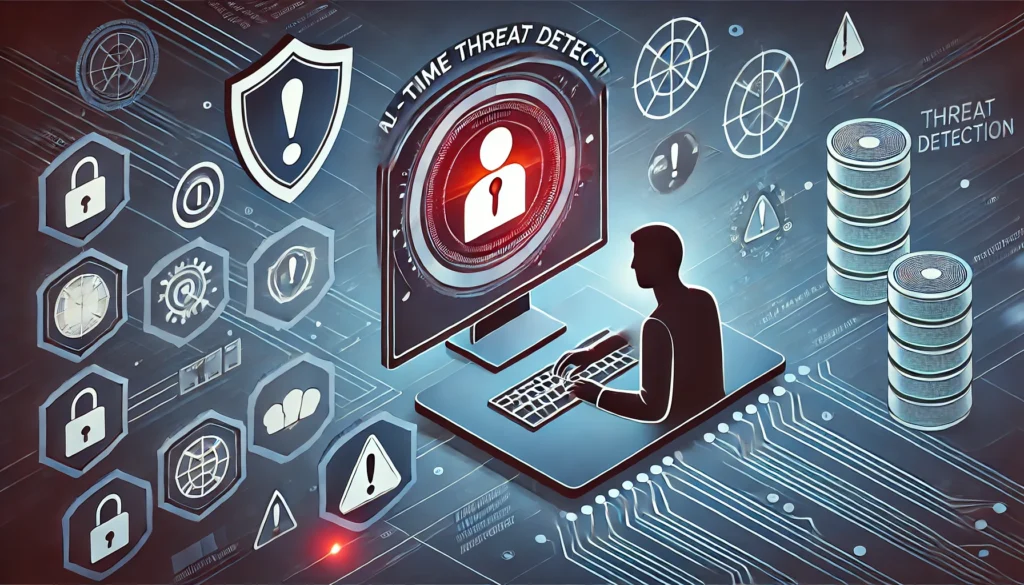
REAL-TIME THREAT DETECTION
1. Threat Intelligence
Threat intelligence involves gathering and analyzing information about current and emerging threats. It’s like a weather forecast that predicts upcoming storms, allowing for proactive measures. Key components include:
- Data Collection: Aggregating data from various sources, such as threat feeds, dark web monitoring, and open-source intelligence (OSINT). This is similar to gathering weather data from satellites, weather stations, and radar.
- Analysis and Correlation: Analyzing collected data to identify patterns and correlations. Imagine meteorologists studying weather patterns to predict storms. Threat intelligence platforms use machine learning and analytics to correlate data and identify potential threats.
- Actionable Insights: Providing insights that can be acted upon. This is like receiving a weather alert to take shelter from a storm. Threat intelligence delivers timely information to security teams, enabling them to implement protective measures.
2. Security Information and Event Management (SIEM)
SIEM systems collect and analyze data from various sources to detect and respond to threats in real-time. It’s like a central command center that monitors security across an organization. Key components include:
- Log Aggregation: Collecting logs from multiple sources, such as firewalls, servers, and endpoints. This is similar to a security control room receiving feeds from multiple surveillance cameras. SIEM systems centralize log data for comprehensive analysis.
- Correlation and Analysis: Correlating log data to identify security incidents. Imagine a detective piecing together clues from different crime scenes to solve a case. SIEM systems use correlation rules and machine learning to detect patterns indicating potential threats.
- Automated Alerts: Generating alerts for suspicious activities. This is like an alarm system that sounds when it detects an intruder. SIEM systems notify security teams of potential threats, enabling quick response and mitigation.
3. User and Entity Behavior Analytics (UEBA)
UEBA uses machine learning to analyze the behavior of users and entities within the network to detect anomalies. It’s like having a security analyst observing the behavior of employees to detect insider threats. Key components include:
- Behavioral Baselines: Establishing normal behavior patterns for users and entities. This is similar to understanding the regular routines of household members. UEBA systems learn typical behavior to identify deviations that could indicate threats.
- Anomaly Detection: Identifying deviations from established baselines. Imagine noticing a family member behaving unusually, which could indicate something is wrong. UEBA systems detect anomalies that could signify security incidents.
- Risk Scoring: Assigning risk scores to detected anomalies. This is like evaluating the severity of unusual behavior to determine the appropriate response. UEBA systems prioritize alerts based on risk, helping security teams focus on the most critical threats.
CONCLUSION
Securing devices, networks, and data is paramount in an increasingly connected world. Implementing robust device security measures, segmenting networks, securing remote access, and protecting data through encryption are all critical steps in defending against cyber threats. Organizations can significantly enhance their security posture and safeguard their valuable digital assets by adopting these strategies. Stay vigilant, stay secure.