

Embark on a thrilling adventure with Captain Reenter and his notorious crew aboard the Ether Buccaneer as you set up the Reentrant Pirates dApp. This guide will lead you through each step of the journey, from cloning the repository to interacting with the dApp, ensuring that even novice sailors can navigate the complex seas of blockchain development. With detailed instructions and illustrative screenshots, you’ll learn how to deploy smart contracts, configure your local blockchain environment, and defend against reentrancy attacks. By the end of this setup, you’ll not only have a fully functional pirate-themed dApp but also a deeper understanding of smart contract security. Prepare to hoist the Jolly Roger and dive into the world of Reentrant Pirates!
STEPS TO SETUP
STEP 1: Clone the Repository
- Open a terminal and navigate to your desired project directory.
- Clone the DVD: Damn Vulnerable Dapps repository
git clone https://github.com/Highcryp17/DVD-Damn-Vulnerable-Dapps.git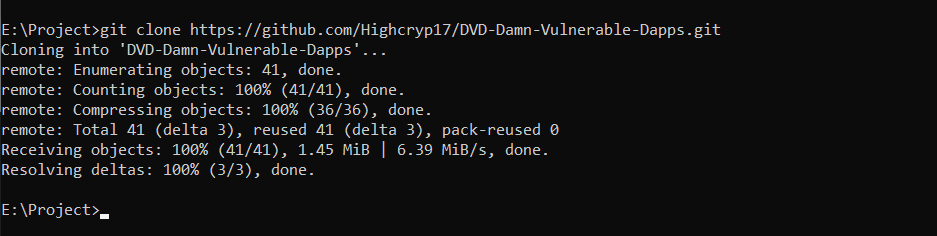
STEP 2: Navigate to the Reentrant Pirates Folder
- Change directory to the Reentrant Pirates project:
cd DVD-Damn-Vulnerable-Dapps/Reentrant Pirates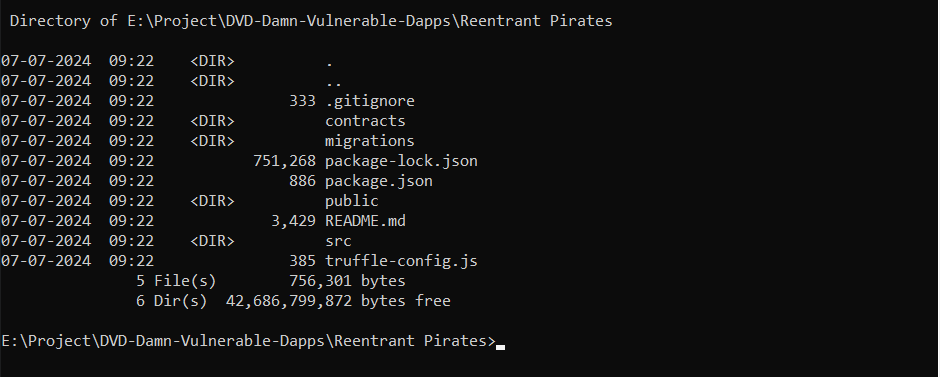
STEP 3: Install Dependencies
- Run npm install to install all necessary dependencies for the project.
- Additionally, install Truffle globally if not already installed:
npm install
npm install -g truffle
STEP 4: Set Up Ganache
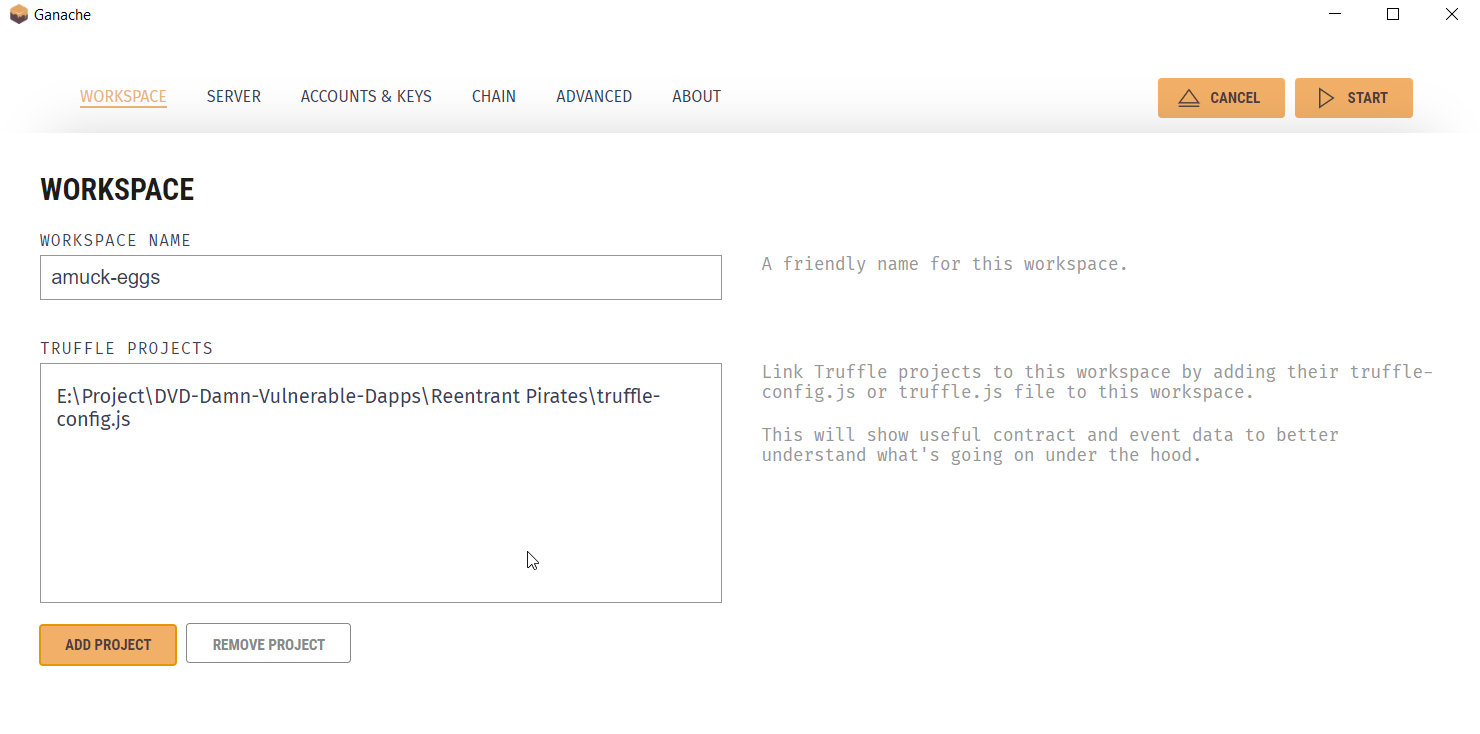
- Open Ganache and create a new workspace.
- Name your workspace and add your Truffle project:
STEP 5: Compile and Migrate Contracts
- In your terminal, compile and migrate the smart contracts to the local blockchain provided by Ganache:
- After migration, you can see the deployed contract on Ganache:
truffle compile
truffle migrate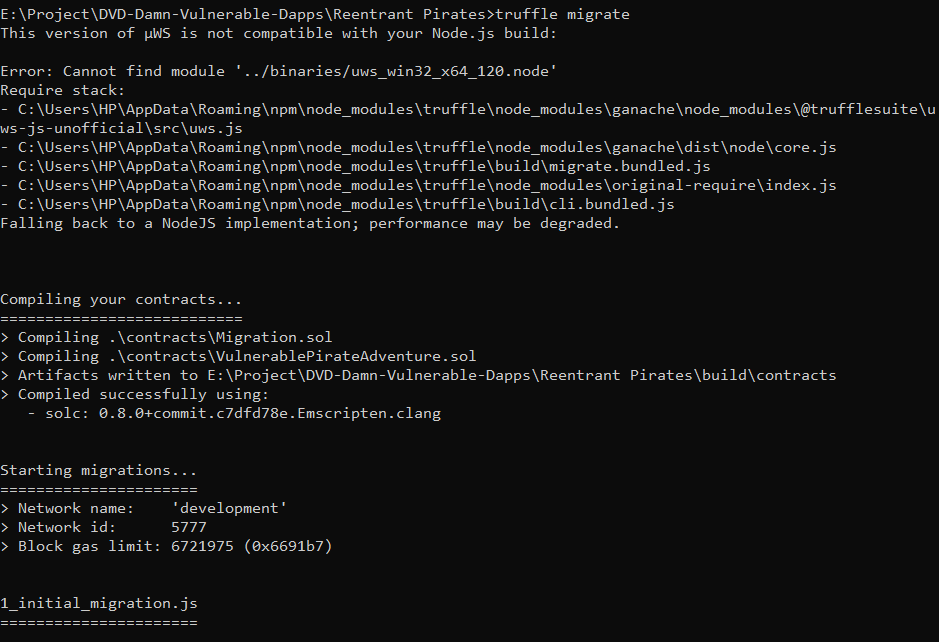
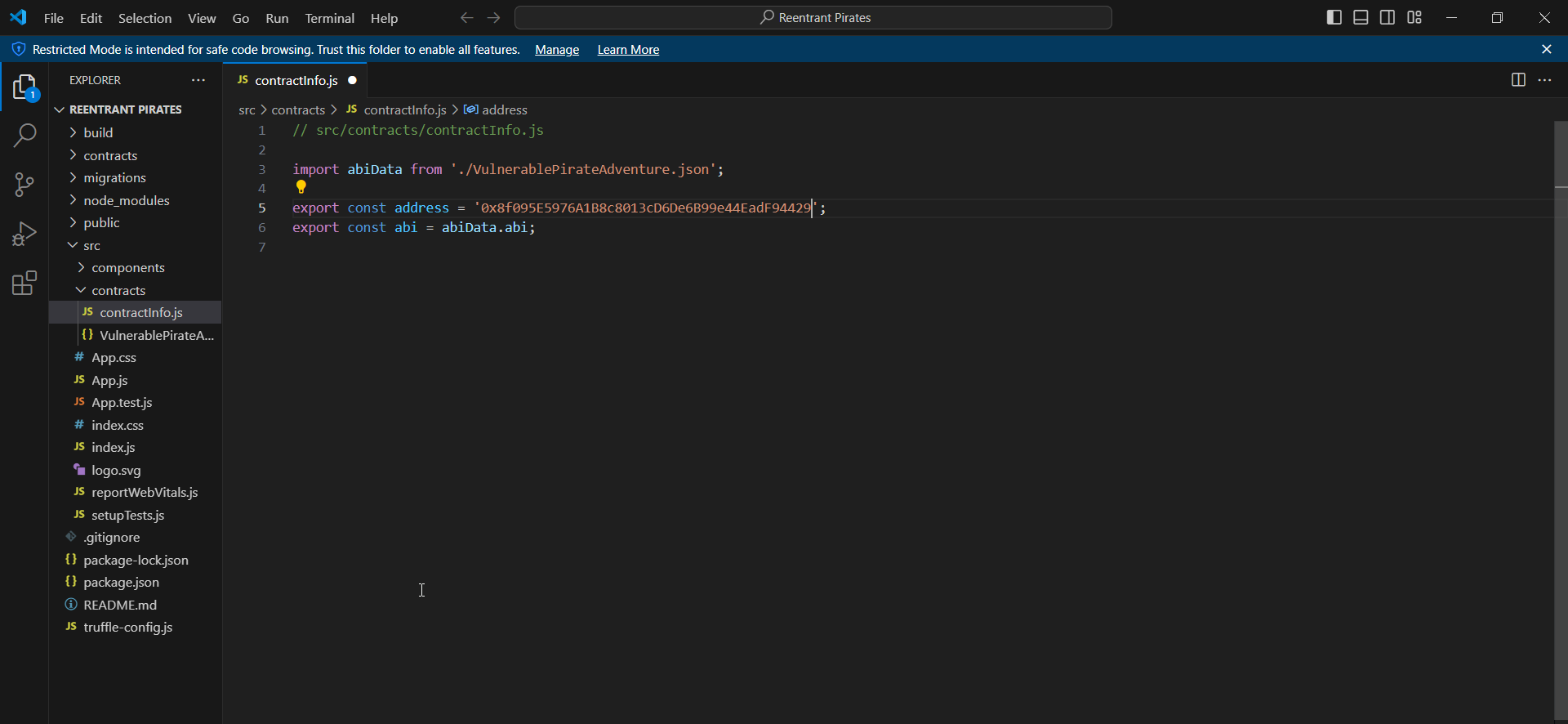
STEP 6: Update Contract Info in the Frontend
- On Ganache –> Contracts Tab –> VulnerablePirateAdventure, find and copy the address
- Navigate to src/contracts/contractInfo.js and open it in a text editor, update the contract address
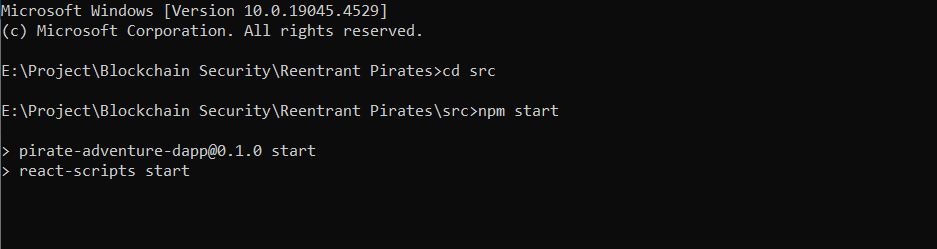
STEP 7: Run the Frontend
- Navigate to the src directory and start the React application:
STEP 8: Setting up MetaMask
- Open MetaMask, go to Settings –> Advanced, and enable “Show test networks”:
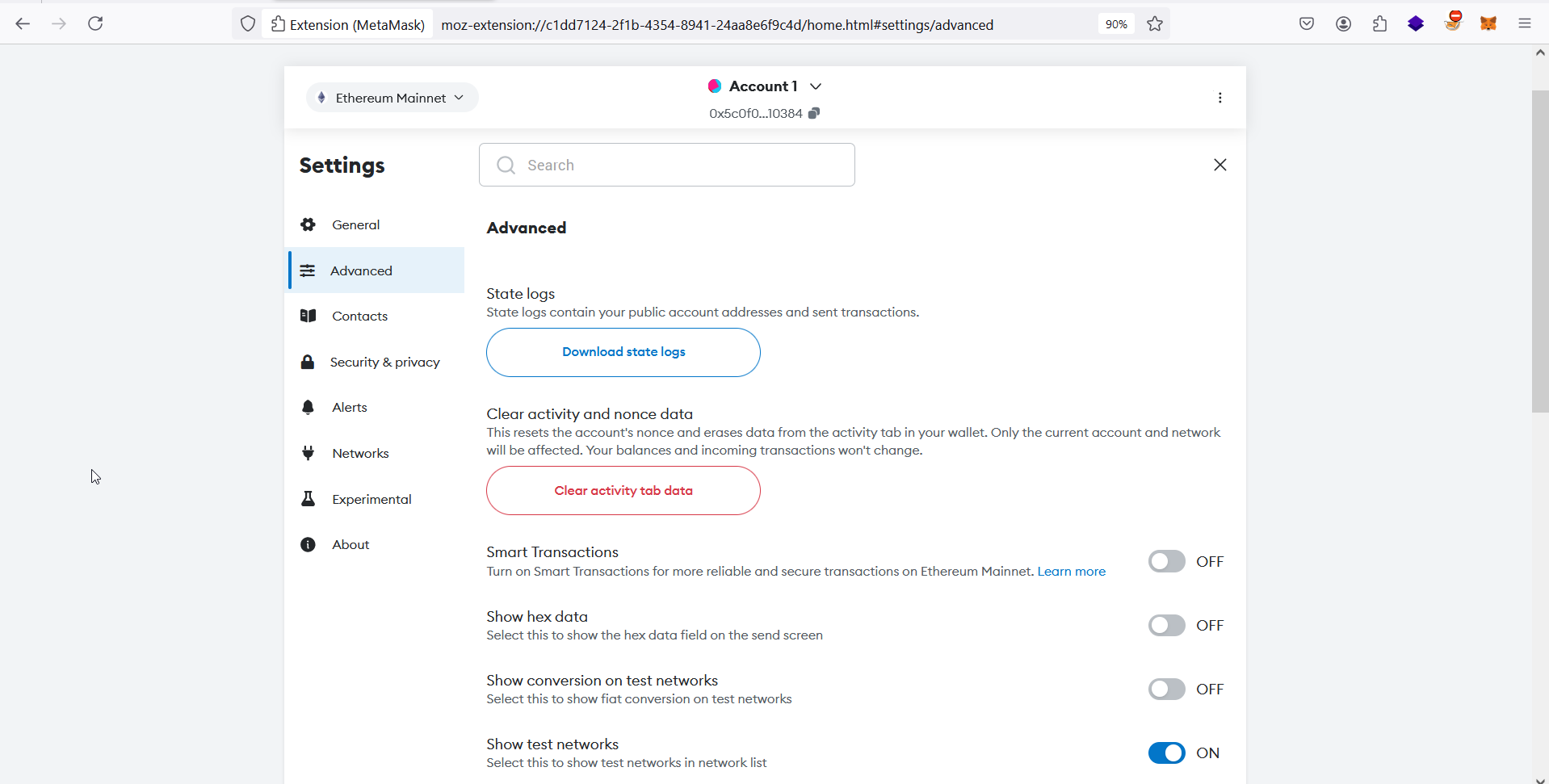
- Open MetaMask, go to Settings –> Networks –> Add a Network –> Add a network manually
- Enter the details given below and click save
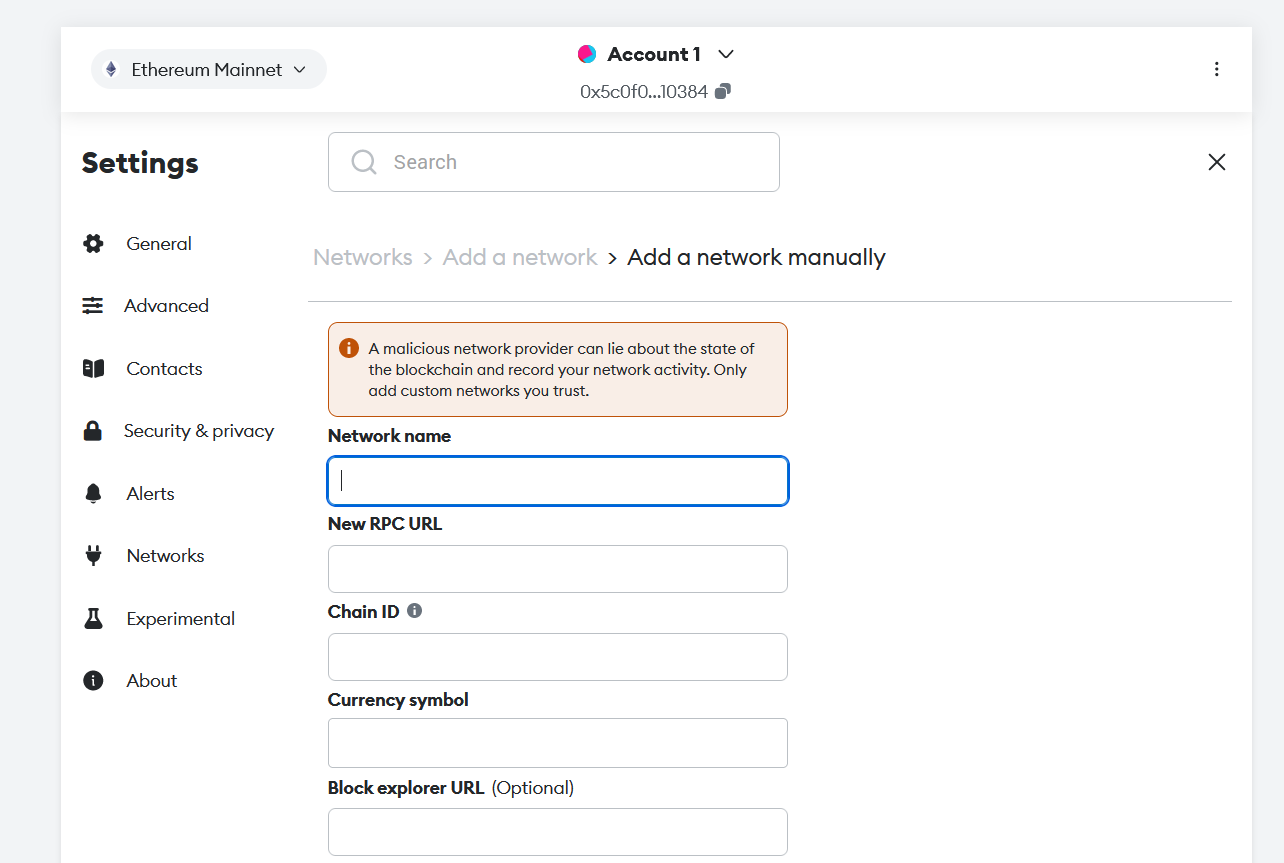
Network Name : Reentrant Pirates
New RPC URL  : http://127.0.0.1:7545
Chain ID     : 1337
Currency symbol : ETH- Switch your Network from “Ethereum Mainnet” to “Reentrant Pirates”
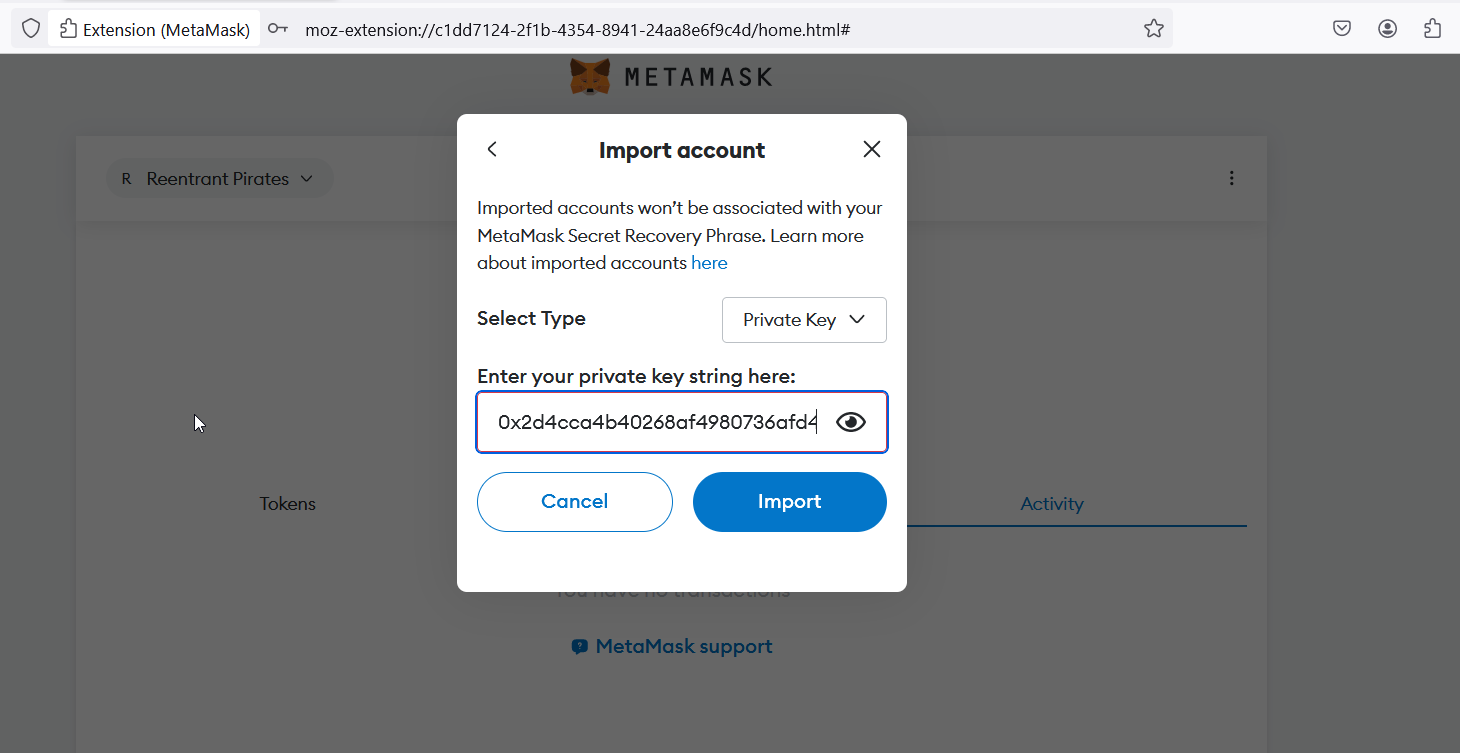
- Then Import 2 accounts from ganache by clicking “Account 1” –> “+ Add account or hardware wallet” –> “Import account”
- Enter a private key copied from ganache –> Accounts Tab –> show key
STEP 9: Interacting with the DAPP
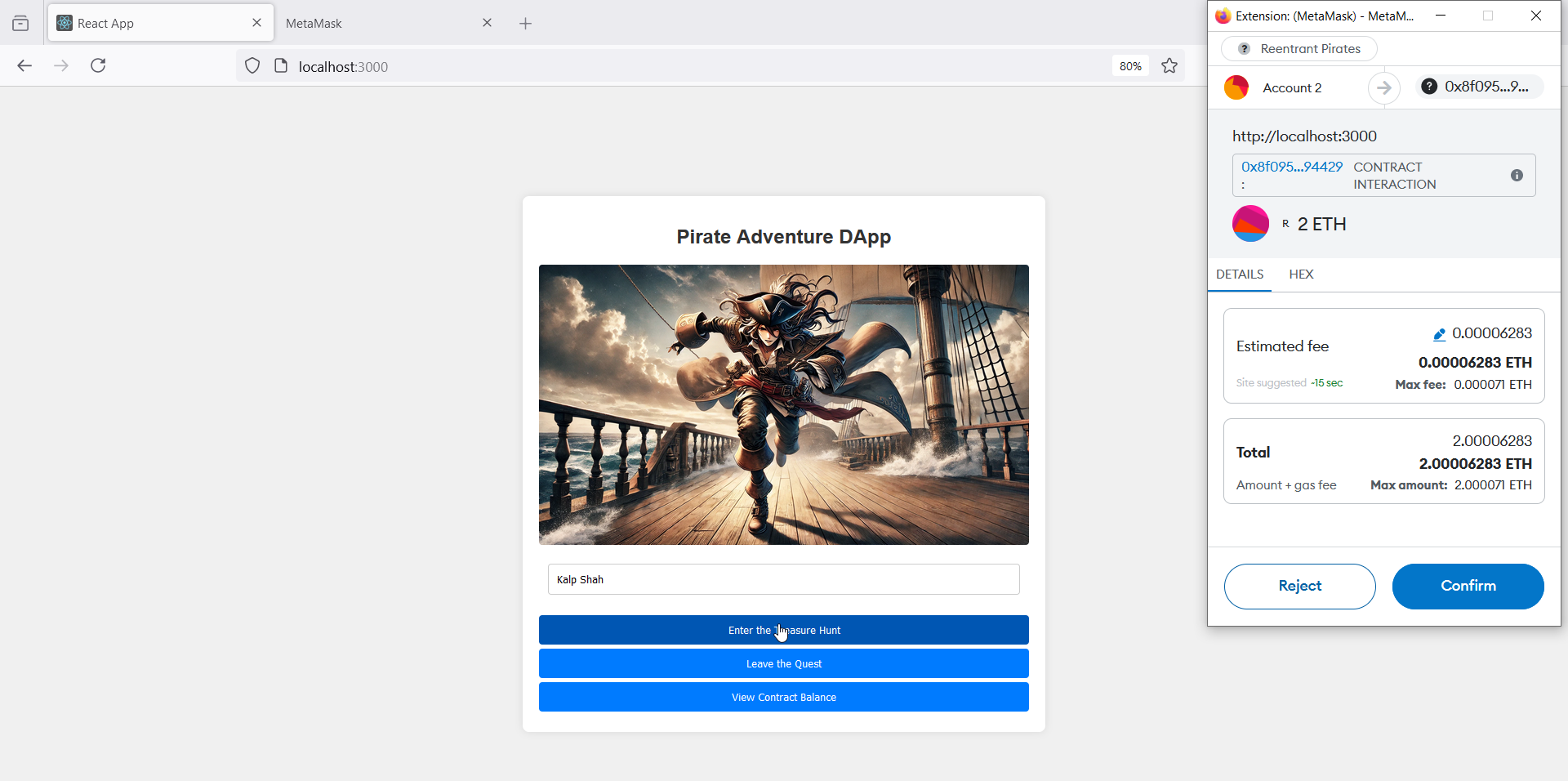
- Use the dApp interface to interact with the smart contract
- Confirm transactions using MetaMask
CONCLUSION
You have successfully completed the setup of the Reentrant Pirates dApp, deploying it on your local blockchain and configuring the necessary tools for interaction. From cloning the repository and installing dependencies to setting up Ganache and MetaMask, each step has been detailed to ensure a smooth setup process. Your pirate-themed dApp is now fully operational and ready for further exploration.
In the next blog post, we will delve into exploiting this DAPP for reentrancy vulnerabilities. This will provide valuable insights into identifying and mitigating such vulnerabilities, enhancing your understanding of smart contract security. Stay tuned for the next installment in our Reentrant Pirates series!